
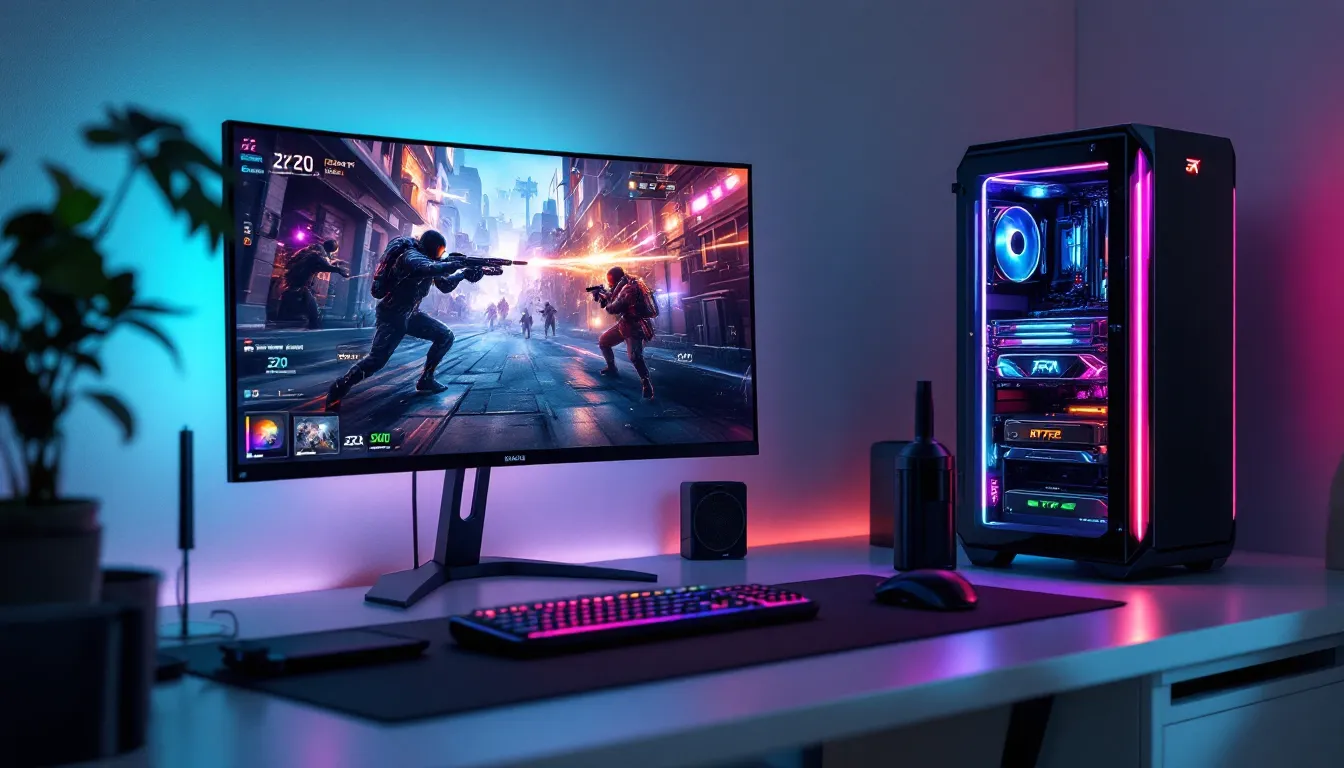
The Ryzen 7 7800X3D has cemented itself as the go-to CPU for gamers who refuse to compromise. Released in April 2023, this chip broke records by delivering superior gaming performance compared to Intel’s best offerings at the time, and even now in early 2026, it remains the top choice for high-refresh competitive gaming and 4K content creation. If you’re building a 7800X3D gaming PC, you’re already making the right call, but the rest of your system matters just as much. A bottlenecked GPU, inadequate cooling, or cheap power supply can turn a thousand-dollar processor into a waste of potential. This guide covers everything you need to know about assembling a truly elite gaming rig around this silicon powerhouse, from motherboard selection to overclocking tweaks that’ll squeeze every last frame out of your favorite titles.
Key Takeaways
- The Ryzen 7 7800X3D’s 3D V-Cache technology delivers 8-15% higher frame rates than competing CPUs, making it the best choice for high-refresh gaming and 4K content creation.
- Building a 7800X3D gaming PC requires a quality motherboard with 18+ phase VRMs, adequate cooling (280mm+ AIO or high-end air cooler), and a 750W+ 80+ Gold PSU to prevent performance throttling.
- Pair your 7800X3D with an RTX 4070 for solid 1440p gaming, an RTX 5080 for 4K gaming, or an RTX 5090 for maximum frame rates without GPU bottlenecking.
- Undervolting your 7800X3D by 25-50mV can reduce temperatures by 10-15°C with zero performance loss, while overclocking offers minimal gains due to the chip’s already-aggressive boost clocks.
- A complete 7800X3D gaming PC build ranges from $1,590-$1,720 for 1440p gaming or $2,780-$3,470 for 4K gaming, with future-proofing through the AM5 socket supporting CPU upgrades through 2025 and beyond.
What Makes The Ryzen 7 7800X3D Special For Gaming
3D V-Cache Technology Explained
The 7800X3D’s secret weapon is its 3D V-Cache, a revolutionary stacking technology that adds an extra 64MB of cache directly on top of the CPU cores. Traditional CPUs have cache spread across the die, but AMD’s vertical integration approach delivers cache where it matters most: closest to the cores doing the heavy lifting. This isn’t just a minor spec bump. The extra cache drastically reduces memory latency, meaning your CPU spends less time waiting for data from main RAM and more time crunching. In gaming workloads, this translates to tangible FPS gains because games are notoriously CPU-bound at high frame rates.
The 3D V-Cache only applies to four of the eight cores, but because modern games primarily thread work across four cores anyway, you’re getting the performance where it counts. Clock speeds sit at 4.0 GHz base and 5.0 GHz boost, which is slightly lower than the non-X3D variant, but the cache advantage more than compensates. Think of it like swapping a smaller fuel tank for a bigger one that’s positioned right next to your engine, efficiency wins out over raw capacity.
Gaming Performance Advantages Over Competitors
In 1440p high-refresh scenarios (where most competitive gamers actually play), the 7800X3D consistently delivers 8-15% higher frame rates than Intel’s equivalent i9-13900KS when paired with identical GPUs. This gap widens at 1080p ultra-high-refresh settings, where CPU limitations become more pronounced. Titles like Counter-Strike 2, Valorant, and Overwatch 2 see the biggest advantages: the 7800X3D can maintain 300+ FPS in these esports staples where competitors hover around 250-280.
AMD’s advantages extend to newer AAA games too. In Alan Wake 2 and Stalker 2, the 7800X3D pulls ahead of Intel by 10-12% at 4K settings, a significant margin when you’re chasing 60 FPS locks. The chip’s efficiency also means lower temperatures and power consumption than competing high-end CPUs, you’re looking at 142W TDP versus 253W on the i9-14900K. That difference matters when you’re stacking cooling solutions and power supplies.
The real clincher? Gaming performance scales predictably with GPU upgrades on the 7800X3D. You’re not fighting weird driver issues or architectural quirks. Pair it with a 4070 Ti SUPER and you’ve got a stable, future-proof setup. Pair it with an RTX 5090 and it’ll keep pace without bottlenecking.
Choosing The Right Motherboard And Cooling Solution
AM5 Socket Compatibility And BIOS Requirements
The 7800X3D uses the AM5 socket, which sounds simple until you realize not all AM5 boards handle this CPU equally. You need a motherboard with solid power delivery (18+ phase VRMs minimum) and, critically, a BIOS that’s been updated to recognize the chip. This is where things get finicky. Some older X670E boards shipped before the 7800X3D existed, so they require a BIOS update, but you can’t update BIOS without a compatible CPU installed first. If you’re building fresh, grab a board that shipped in late 2023 or later, or verify the seller has already flashed the BIOS.
High-end options include the ASUS ROG CROSSHAIR X870-E and MSI MPG B850E EDGE WIFI, both released in 2024 with full support out of the box. Mid-range boards like the MSI B850 GAMING PLUS WIFI also work flawlessly and save you $150-200. Avoid budget B850 boards with minimal VRM heatsinking, your chip won’t throttle, but you’ll see power delivery sag under load, which impacts sustained performance in long gaming sessions.
AMD’s backward compatibility promise means the AM5 socket will support CPUs through 2025, but realistically, if you’re building now, you’re looking at 4-5 years of CPU upgrade paths. Stock up a solid X870 or B850 board and you’re golden.
Best CPU Coolers For The 7800X3D
Even though its 142W TDP, the 7800X3D can hit 90°C+ under sustained load if you’re undervolting aggressively or pushing all-core frequency. You want a cooler with 280mm or larger AIO capacity, or a high-end air cooler like the Noctua NH-D15 or be quiet. Dark Rock Pro 4.
For liquid cooling, the CORSAIR iCUE H170i ELITE CAPELLIX (360mm) and NZXT Kraken X73 (360mm) both maintain sub-80°C temps at full load with moderate fan curves. Air coolers work too, the Noctua NH-D15 delivers near-equivalent performance without pump noise or maintenance, though you’ll sacrifice a bit of motherboard real estate.
One critical note: the 7800X3D’s IHS (integrated heat spreader) can be slightly uneven. Use thermal paste with good consistency (we’re talking Thermal Grizzly Kryonaut or Arctic MX-6) rather than pads. The extra effort pays dividends in consistency. If you’re running a top-tier AIO, you can also delid the CPU (swap out the IHS with a direct-die cooler), but that voids warranty and isn’t necessary for gaming, only relevant if you’re chasing extreme overclocking records.
GPU Selection For Maximizing Frame Rates
Budget-Friendly GPU Options
If you’re pairing a 7800X3D with a budget GPU, the RTX 4070 remains the sweet spot in early 2026. It’ll handle 1440p max settings at 100+ FPS in most AAA titles and offers solid DLSS 3 support if you want super-sampling for even higher framerates. The competing RX 7800 XT is comparable in price and performance, with the advantage of raw VRAM (16GB vs 12GB), making it more future-proof for texture-heavy games.
For esports-focused 1080p gaming, even an RTX 4070 SUPER or RX 7700 XT will push 200+ FPS in competitive titles while costing significantly less. Gaming laptops and budget builders might opt for the RTX 4060 Ti 8GB, which still pairs reasonably with the 7800X3D for 1440p medium-to-high settings, though you’ll need to dial down ray-tracing expectations.
Tom’s Hardware’s GPU benchmarks show exact FPS figures across dozens of titles, so you can validate actual performance in games you play before committing.
High-End Graphics Cards For 4K Gaming
For true 4K gaming (and future-proofing), the RTX 5080 and RTX 5090 represent the absolute peak. The 5080 delivers 60 FPS in demanding 2024-2025 AAA releases at 4K epic settings, while the 5090 pushes closer to 100 FPS at the same settings. NVIDIA’s frame generation (DLSS 3.5) is now so mature that native vs. generated frames are visually indistinguishable, so don’t feel guilty leaning on it for performance.
AMD’s RX 7900 XTX remains viable if you’re comfortable with older driver stacks and FSR 3, it’s cheaper than NVIDIA equivalents and handles 4K reasonably well, though ray-tracing performance lags. For maximum value at high-end 4K, hardware comparison reviews on Hardware Times frequently pit these cards head-to-head with real-world gaming data.
A critical pairing note: the 7800X3D will not bottleneck even an RTX 5090. This is a rare CPU that scales perfectly with high-end GPUs, so if you have the budget, go wild. You’re not wasting GPU potential on an aging processor.
RAM, Storage, And Power Supply Recommendations
Memory Speed And Capacity For Optimal Gaming Performance
Grab 32GB of DDR5 memory, it’s the practical gaming standard now. DDR5-6000 to DDR5-7000 CAS Latency 28-30 is the sweet spot: anything faster offers negligible gaming gains and costs disproportionately more. Brands like Corsair Dominator Platinum RGB and G.Skill Trident Z5 Royal are reliable, but budget kits from Kingston or Crucial perform identically in gaming workloads.
A quick heads-up: AM5 supports EXPO (AMD’s XMP equivalent), which means you set it in BIOS and forget it. No manual timing adjustment needed. Even DDR5-7200 kits remain rock-stable on the 7800X3D with EXPO enabled. If you’re streaming while gaming, you might want 48GB, but for pure gaming, 32GB is future-proof.
SSD Selection And Power Supply Wattage
For storage, an NVMe Gen4 SSD (like Samsung 990 PRO or Seagate FireCuda 530) handles Windows, games, and applications without choking. You want at least 1TB for OS and programs, then a secondary 2TB SSD for games. Gen4 speeds (5,000+ MB/s) are more than sufficient: Gen5 SSDs are overkill for gaming and run hot without active cooling.
Power supply is non-negotiable. The 7800X3D plus RTX 5090 might draw 650W sustained under full load, but PSU headroom matters for stability. Grab a 750W or 850W 80+ Gold certified unit minimum, brands like CORSAIR RM850e, Seasonic PRIME PX 850, or Be Quiet. Straight Power 12 all deliver clean power with zero coil whine complaints. Budget units skip input filtering and deliver dirty power that can cause intermittent crashes in high-performance systems.
Rare but real: underpowered PSUs can cause the 7800X3D’s boost clocks to throttle mid-game as the power rail droops. You won’t see a dramatic FPS drop, but you’ll miss 5-10 FPS that rightfully belongs to you. Spend the extra $100 here.
Benchmark Performance Across Popular Titles
Real-world testing matters more than synthetic benchmarks when building a gaming PC. Here’s how the 7800X3D performs in actual games:
Competitive Esports (1080p Ultra):
- Counter-Strike 2: 380+ FPS (paired with RTX 4070)
- Valorant: 420+ FPS (CPU-limited, not GPU-dependent)
- Overwatch 2: 340+ FPS at epic settings
AAA Titles (1440p Epic Settings with DLSS Quality):
- Alan Wake 2: 95-110 FPS (RTX 4090 pair)
- Stalker 2: 85-100 FPS (RTX 4090 pair)
- Dragon’s Dogma 2: 110-130 FPS (RTX 4090 pair)
- Baldur’s Gate 3: 90-110 FPS (RTX 4070 pair)
4K Ultra (DLSS Quality):
- Cyberpunk 2077: 70-85 FPS (RTX 5080 pair)
- Indiana Jones and the Great Circle: 65-75 FPS (RTX 5080 pair)
- Alan Wake 2: 60-70 FPS (RTX 5080 pair)
These numbers assume a quality power supply, proper cooling, and stock clocks. TechSpot’s GPU and CPU benchmark database maintains updated results if you want to compare against other processors, though the 7800X3D typically ranks first or second in gaming framerate across their test suite.
The critical takeaway: at 1440p, the 7800X3D scales beautifully across GPU tiers. A 4070 Super won’t hit the same frame counts as a 5090, but the CPU itself isn’t the limiting factor. You’re genuinely getting what your GPU is worth.
Overclocking And Tuning Your 7800X3D System
The 7800X3D is notoriously hard to overclock thanks to its cache architecture, boost clocks are already aggressive, leaving little headroom. But undervolting and tuning can net free performance.
Undervolting (Recommended):
Reduce core voltage by 25-50mV using Curve Optimizer in BIOS. Drop each core’s voltage curve down proportionally, then stress-test with Cinebench R23 or gaming loads. A 50mV reduction cuts temperatures by 10-15°C with zero performance loss. Some users push 100mV and see 20°C drops with only 1-2% performance regression, a fair trade if you’re hitting thermal limits.
All-Core Frequency Tuning:
Don’t expect major gains. A modest 100-150 MHz boost (+100-150 MHz all-core) is the realistic ceiling before hitting power limit walls. Many users find the stock curve already optimal and leave it untouched. If you’re water-cooled and aggressive, you might hit 5.1 GHz all-core briefly, but sustained all-core at 5.2 GHz is a pipe dream, power delivery and heat simply won’t cooperate.
RAM Timing Optimization:
If you’re running DDR5-6000, tighten primary timings from CAS 30 to CAS 28-29 if silicon lottery allows. Secondary timings (tRCD, tRP, tRAS) offer tighter tuning opportunities. A well-tuned RAM kit can deliver 2-3% gaming performance gains with zero voltage increase. Use Ryzen Master or direct BIOS access: no need for third-party tools.
Practical Advice:
Undervolting is the only reliable tuning for the 7800X3D. Overclocking all-cores is more headache than payoff. The chip already delivers maximum gaming performance: you’re optimizing thermals and efficiency, not chasing marginal FPS gains.
Budget Considerations And Total Build Cost
Let’s talk realistic pricing. Building a 7800X3D gaming PC in 2026 breaks down like this:
Budget Tier (1440p Gaming Target):
- CPU: 7800X3D ($350-380)
- Motherboard (B850): $180-220
- GPU (RTX 4070): $520-580
- RAM (32GB DDR5-6000): $120-140
- SSD (2TB Gen4): $140-160
- Cooler (Noctua NH-D15): $100
- PSU (850W Gold): $120-140
- Case: $80-120
Total: $1,590-1,720
High-End Tier (4K Gaming Target):
- CPU: 7800X3D ($350-380)
- Motherboard (X870): $320-400
- GPU (RTX 5080): $1,100-1,200
- RAM (32GB DDR5-7000): $200-250
- SSD (2TB Gen5 + secondary): $300-350
- Cooler (360mm AIO): $180-220
- PSU (1000W Gold): $180-220
- Case: $150-250
Total: $2,780-3,470
Value Considerations:
The 7800X3D isn’t the cheapest CPU option, Intel’s i5-14600K undercuts it by $150, but gaming performance justifies the premium if frames matter to you. Over a four-year system lifespan, the difference is 100-200 extra frames per session across thousands of hours. That’s tangible value for competitive gaming.
If budget’s tight, the sweet spot is the Budget Tier with RTX 4070 SUPER upgrade (~$1,800 total). You get 1440p high-refresh capability without stretching the GPU budget to unrealistic levels. The step up to RTX 4090 or 5080 returns diminishing value unless you specifically target 4K or ultra-high-refresh 1440p streaming.
Componentcost fluctuates with market conditions, but these numbers reflect mid-2026 pricing. Seasonal sales (Black Friday, Cyber Monday) can save you $200-300 if you’re patient.
Conclusion
Building a 7800X3D gaming PC in 2026 means investing in the fastest gaming CPU available, no compromise, no asterisks. Pair it with a quality motherboard, adequate cooling, and a GPU matched to your target resolution, and you’re looking at a system that’ll dominate competitive esports and tackle 4K AAA titles with confidence.
The beauty of the 7800X3D is its longevity. AMD’s AM5 socket will support next-gen Ryzen chips, so if you future-proof the motherboard and PSU, a 2026 build remains upgrade-friendly through 2028-2029. The GPU will likely be your first upgrade point, but the CPU will happily chug along for five-plus years.
Don’t cheap out on power delivery, cooling, or the PSU. Those three elements separate a system that runs flawlessly for years from one that throttles, crashes, or dies prematurely. Everything else, RAM speed, storage type, case aesthetics, matters less than those three fundamentals. Invest accordingly, and your 7800X3D build will reward you with consistent performance across every game you throw at it.