
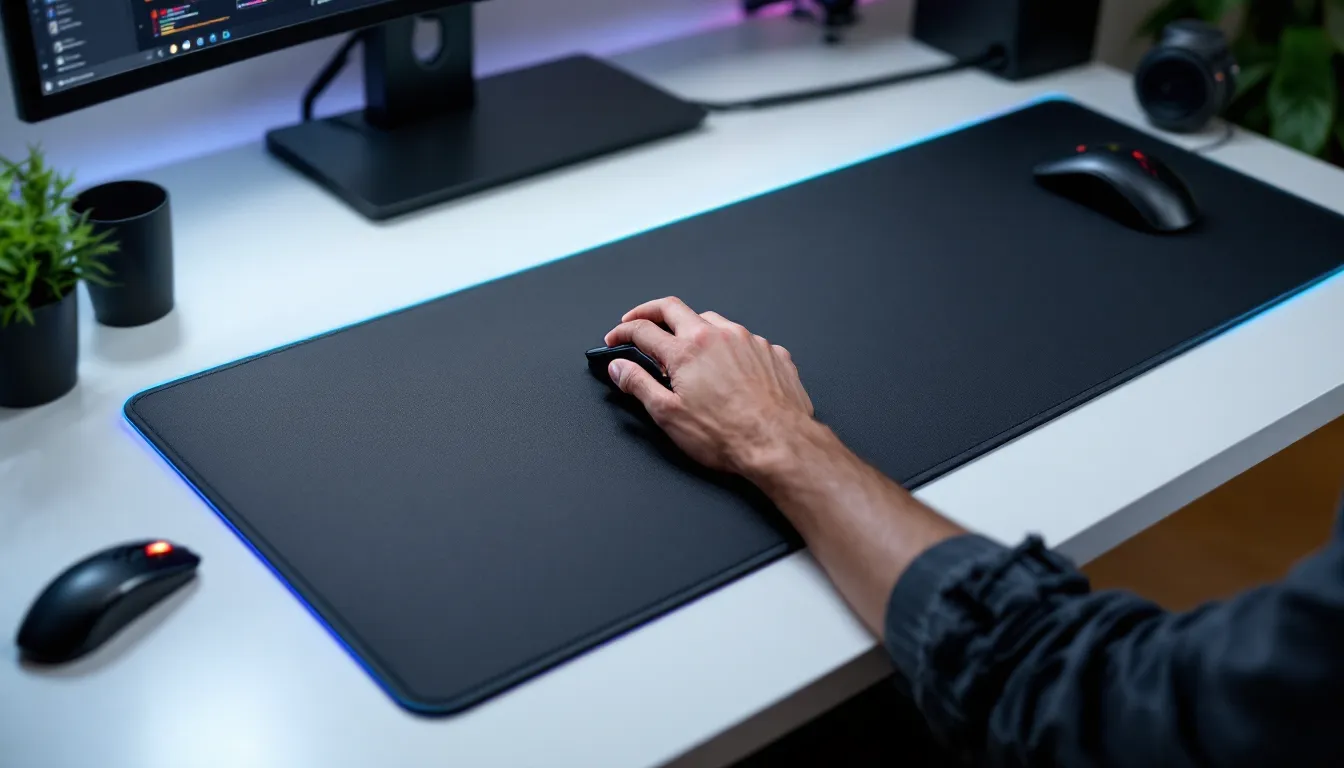
Your mouse sensitivity is dialed in, your monitor’s refresh rate is buttery smooth, and your setup looks clean, but then your mouse skids across a bare desk and ruins a crucial spray transfer in Valorant. Or your wrist starts aching mid-raid because you’ve got nowhere to rest it. A quality gaming desk pad is one of those upgrades that seems minor until it’s not, and then you wonder how you ever played without one.
A gaming desk pad isn’t just about aesthetics (though it can look sharp). It’s a functional piece of equipment that affects your aim, comfort, and how long your mouse and keyboard actually last. Whether you’re grinding ranked matches in competitive shooters, managing unit economies in strategy games, or just want a comfortable surface that doesn’t damage your gear, the right desk pad makes a real difference.
Key Takeaways
- A gaming desk pad improves mouse consistency and aim by providing a uniform surface that eliminates the variance of bare desks, critical for competitive FPS players executing spray transfers and flick shots.
- Gaming desk pads protect your wrists and forearms from repetitive strain injury (RSI) during long gaming sessions while extending the lifespan of your mouse sensor and mechanical equipment.
- Choose cloth surfaces for fast-paced FPS games, hybrid or rubber bases for strategy and MMO games, and prioritize at least 36×12″ coverage to accommodate both mouse movement and arm rest space.
- Premium gaming desk pads with locked stitching, reinforced edges, and quality non-slip bases last 2-3+ years, while cheaper alternatives fail within 6 months, making mid-range to premium options better long-term investments.
- Machine wash cloth pads regularly with cold water and air dry completely to prevent dust buildup and sweat degradation, while immediately wiping spills and avoiding direct sunlight to maintain performance and appearance.
- RGB lighting and wireless charging features are aesthetic bonuses but don’t improve gaming performance—prioritize surface quality, stability, and durability as the core factors when selecting a gaming desk pad.
Why Gamers Need a Quality Desk Pad
A lot of gamers don’t think twice about the surface they’re playing on, and that’s a mistake. Your desk pad directly impacts two critical areas: performance and comfort.
When it comes to performance, consistency matters. A worn wooden desk, laminate, or plastic surface has unpredictable texture, mouse movement becomes variable, and your muscle memory can’t lock in. You develop sens configs based on a certain glide, and if that surface changes, your crosshair placement suffers. A uniform gaming pad removes that variance.
Comfort is equally important. You’re spending hours with your wrist and forearm resting against a hard edge. Without padding, that leads to repetitive strain injury (RSI), wrist pain, and eventually, reduced game time due to physical limitations. A quality pad gives your wrists and arms a comfortable resting surface, especially during long competitive sessions or grinding marathons.
There’s also durability to consider. Professional gamers replace their mouse pads regularly because they understand that a worn surface affects sensitivity tracking. A desk pad extends the usable life of your mouse sensor and keeps your setup consistent across months of play. It’s a small investment that prevents frustration and maintains your mechanical edge.
What Is a Gaming Desk Pad?
A gaming desk pad is a large, protective mat designed to cover your entire desk workspace, typically ranging from mouse pad to keyboard to monitor space. Unlike a traditional mouse pad (which covers just 8×10 inches), a gaming desk pad spans 24 to 48+ inches wide, giving you a unified surface for your entire input setup.
Most gaming desk pads feature a top layer (usually cloth, rubber, or hybrid material) optimized for smooth mouse tracking and a bottom layer designed for non-slip grip on your desk. They sit between your desk and your peripherals, creating a barrier that protects your desk from spills, scratches, and heat from electronics while providing a consistent surface for both mouse and keyboard.
The appeal is obvious: single unified surface, cleaner aesthetics, better cable management, and protection for your investment. You’re not hunting for individual pieces of equipment: the entire workspace becomes one coordinated zone.
Key Features to Look For
Surface Material and Texture
The top surface is where your hands interact with the pad every second you’re gaming. Cloth surfaces (polyester, fabric blends) are the most common and offer a good balance of speed and control. They’re low-friction, which appeals to FPS players who need quick flick movements. But, cloth pads wear out faster with heavy use and can accumulate dust and sweat.
Rubber bases provide a rougher, more controlled feel, better for lower-sens players who make smaller, more deliberate movements. Rubber is more durable than cloth and easier to clean, but it’s slower and can feel sticky in humid conditions. Hybrid surfaces combine cloth on top with rubber accents or a rubber base, splitting the difference.
Your choice here depends on your gaming style, sensitivity settings, and playstyle. Fast-twitch FPS players typically prefer cloth: strategy and MOBA players often go for hybrid or rubber for stability.
Size and Coverage
Desk pads come in standard sizes: 24×12″ (mouse-and-keyboard area), 36×12″ (extended), and 48×24″ (full desk coverage). Some premium options go even wider.
Consider your actual desk space and what you want covered. If you’re streaming and need visible desk space, a 36×12″ is versatile. If you’re a minimalist who wants everything under one surface, go larger. Most competitive gamers opt for at least 36×12″ to accommodate keyboard, mouse space, and arm rest area comfortably.
Non-Slip Base and Stability
This is non-negotiable. Your pad should not slide during intense play. Look for rubberized bases or suction cups that grip your desk. Some high-end pads use specialized anti-slip coatings that lock onto different desk surfaces, laminate, wood, metal, equally well.
Test stability by pushing on the corners: a quality pad should resist movement and not bunch up or shift during rapid mouse motions.
Edge Stitching and Durability
Edges take a beating. Unstitched or poorly stitched edges fray quickly, especially with constant arm resting and keyboard placement. Premium gaming desk pads feature locked stitching or reinforced binding that keeps edges intact for years.
You should also check if the pad is machine washable, cloth pads that can go through a gentle wash cycle last much longer and stay fresh without degrading.
Gaming Desk Pad Types and Styles
Hard vs. Soft Pads
Soft pads dominate the gaming market because they’re comfortable, portable, and fast. They’re typically 3-5mm thick fabric or rubber blends. Soft pads are ideal if you switch setups frequently or travel to LANs.
Hard pads (glass, plastic, aluminum surfaces) are less common in the gaming desk pad space but offer maximum durability and the absolute fastest mouse tracking. They’re rigid, don’t wear down, and are essentially permanent surfaces. The downside: zero comfort for arm resting, potential for mouse sensor reflection issues with glossy surfaces, and they’re cold and impersonal. Hard pads work better for esports lounge setups rather than home gaming.
For most gamers, soft pads are the practical choice.
RGB and Illuminated Options
RGB desk pads have become trendy, offering underglow lighting, edge lighting, or integrated lighting zones. Brands like SteelSeries, Corsair, and Razer offer these options.
Functionality-wise, RGB is purely aesthetic, it doesn’t improve your aim. But if your entire setup is RGB-coordinated, matching your desk pad to your keyboard and mouse creates visual cohesion. Just know you’re paying extra for lighting, and not all RGB pads have excellent surface quality compared to non-RGB alternatives. Prioritize surface quality first: lighting is a bonus.
Wireless Charging Pads
Some newer gaming desk pads integrate wireless charging zones for phones or buds. This is a genuinely useful feature if you play on controller or stream and want your phone nearby without it taking desk space. The charging surface typically sits at one corner or edge, leaving the main gaming surface untouched.
Wireless charging pads tend to cost more, so only consider them if that feature genuinely improves your workflow.
How to Choose the Right Desk Pad for Your Gaming Style
For Competitive FPS and Fast-Paced Games
If you’re grinding Valorant, CS2, or Apex Legends, you need speed and consistency above all. Look for cloth-surface pads with low friction and smooth tracking. Your pad should be at least 36×12″ to give you full range of motion for flick shots and spray transfers.
Brand recommendations that show up in pro player settings and competitive setups include SteelSeries QcK, Corsair MM350, and ASUS ROG. These provide reliable, predictable surfaces that pros have verified work at the highest levels of play.
For competitive FPS, avoid pads with texture variance or thick cushioning, you want minimal resistance between your mouse and desk.
For MMOs and Strategy Games
Strategy and MMO players typically run lower sensitivities and make deliberate, smaller movements. You benefit more from stability and comfort than raw speed.
Consider a hybrid or rubber-based pad that provides more control and resists sliding. A 36×12″ or 48×24″ gives you ample space for both mouse and keyboard without cramping. The thicker padding (5-7mm) is actually beneficial here because you’re resting your wrist for extended periods during fights or thinking moments.
Gaming desk pads from brands like Corsair or Logitech with thicker bases suit this playstyle better than speed-optimized competitive pads.
For Console and Controller-Based Gaming
If you’re primarily on PlayStation, Xbox, or Nintendo Switch, your desk pad serves a different purpose, it’s more about protecting your desk and providing a clean aesthetic than mouse optimization.
You want a large, visually appealing pad (48×24″ ideally) that accommodates your controller, energy drinks, and headset without worrying about wear or spills. Material choice is flexible here: cloth or hybrid both work. Some gamers prefer wireless charging pads for this setup since console players aren’t plugged into their desk.
Focus on durability and style rather than micro-optimizations for mouse speed.
Maintenance and Care Tips
A gaming desk pad is an investment, and basic care extends its lifespan significantly.
Cleaning: Cloth pads accumulate dust and can develop stains from coffee, energy drinks, or sweat. Most modern gaming pads are machine washable, remove any cables, turn the pad inside out, and use a gentle cycle with cold water. Air dry completely (avoid direct heat, which can degrade glues). For quick cleanups, use a damp microfiber cloth or gaming gear wipes. Spot cleaning prevents buildup better than waiting for a full wash.
Storage: If you’re not using your pad for extended periods, roll it up loosely (don’t crease it sharply) and store it in a cool, dry place. Moisture and heat degrade materials faster.
Spill prevention: Your pad is water-resistant, not waterproof. Heavy spills (knocked-over drinks) should be wiped immediately to prevent seepage into stitching or the base. Don’t leave standing liquid on the surface.
UV exposure: Direct sunlight fades colors and weakens materials over time. Keep your setup away from windows if possible, especially if you have an RGB or colored pad.
Proper maintenance keeps your pad performing and looking sharp for 2-3 years of regular gaming.
Common Issues and Solutions
Pad slides during play: Your non-slip base may have worn down or your desk surface might be particularly slick (glass, laminate). Solution: Use desk grip pads or small adhesive feet on the underside to increase friction. Some gamers use two-sided mounting tape on corners, though this can damage your desk finish.
Mouse tracking feels inconsistent: Dust accumulation, sweat buildup, or a deteriorating surface causes this. Solution: Deep clean your pad (machine wash if possible) and let it dry completely. If the issue persists after cleaning, the top layer may be permanently degraded and the pad needs replacement.
Edges fraying or peeling: This happens on cheaper pads or pads that see heavy arm-resting. Solution: You can temporarily seal edges with fabric glue or clear nail polish, but if the issue is severe, it’s a sign you need a higher-quality replacement. Investing in a pad with locked stitching upfront prevents this.
Visible wear pattern or shine spots: Heavy-use areas (where your mouse sits, where your wrist rests) show wear first. This is normal and doesn’t necessarily indicate a defective pad, it means the material is compressing. If tracking feels fine, continue using it. If mouse sensitivity tracking degrades, it’s time to replace.
Padding compresses or feels flat: Over time, cushioning breaks down. If your pad feels like plywood under your wrist, the interior is shot. Unfortunately, there’s no fix, you’ll need a new pad. This is why investing in a thicker, higher-density initial purchase pays off.
Most of these issues are preventable with proper care and choosing a quality pad initially. Cheap $15 desk pads fail within 6 months: mid-range $30-50 pads last 1-2 years: premium $60+ pads can last 2-3+ years with care.
Conclusion
A gaming desk pad is often overlooked by newer gamers, but pros and veterans understand it’s a foundational piece of your setup. It directly affects your performance, comfort, and how long your equipment lasts. Whether you’re competing in ranked matches, grinding MMO raids, or just want a professional-looking gaming space, the right pad elevates your setup.
Start by identifying your gaming style and priorities, speed for FPS, stability for strategy games, durability for console gamers. Consider the surface material, size, and build quality. Look for reinforced stitching, reliable non-slip bases, and proven durability. Once you find a pad that fits your needs, proper maintenance (regular cleaning and careful storage) ensures it performs for years.
Your desk pad might seem like a small detail, but it’s one of those upgrades that compounds: better mouse control, reduced wrist strain, and a more cohesive setup. If you haven’t invested in one yet, it’s time to stop playing on a bare desk and commit to a surface that supports your best gaming.