
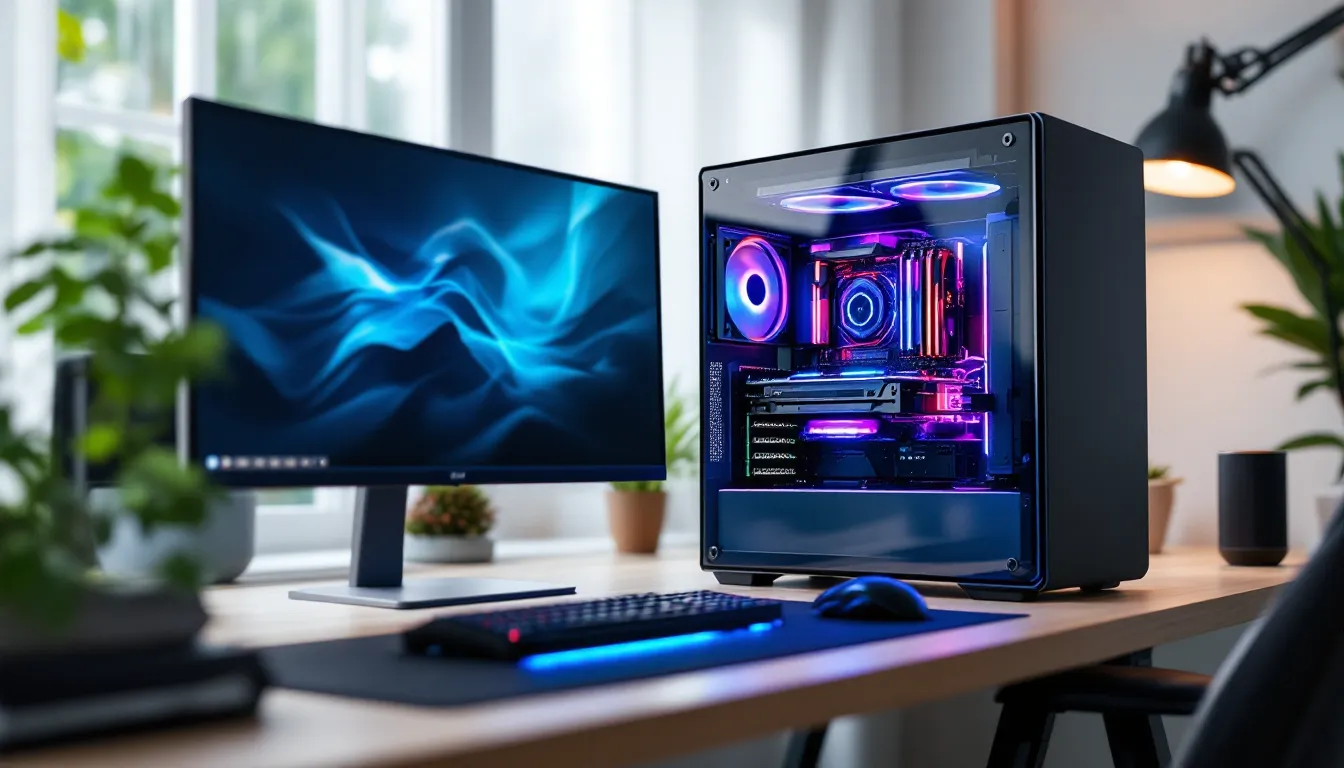
So you want to build or buy a gaming PC in 2026, but you’re staring at price tags that range from under $600 to over $10,000 and wondering where your money actually goes. The honest answer? It depends. A “decent” gaming PC isn’t one-size-fits-all, it’s about matching performance to your actual needs, budget, and the games you want to play. Whether you’re eyeing smooth 1080p at 60fps on a budget or chasing 4K 144fps in the latest AAA titles, there’s a price point for you. This guide breaks down what you actually get at each tier, which components drive costs, and how to squeeze maximum value out of your money without settling for disappointment.
Key Takeaways
- A decent gaming PC cost ranges from $700 to $2,000 depending on your gaming needs, resolution targets, and whether you prioritize casual play or competitive performance.
- The GPU is your biggest cost driver at 35–50% of total PC price; prioritize GPU quality first, then CPU, RAM, and storage to maximize gaming performance.
- Entry-level systems ($600–$1,000) handle 1080p gaming smoothly, while mid-range PCs ($1,000–$2,000) deliver 1440p and 4K performance without overspending on features you won’t use.
- Building your own PC saves 10–15% versus prebuilts and gives you full control over components, though prebuilts offer convenience and faster setup if you lack technical confidence.
- Don’t neglect peripherals—monitors, keyboards, mice, and chairs can add $500–$1,200 to your gaming PC cost and dramatically impact your overall experience.
- Buy components strategically during Black Friday sales, before major GPU releases, or after new CPU generations launch to save 15–25% without sacrificing performance.
Understanding Gaming PC Price Categories
Gaming PC pricing isn’t arbitrary. Every tier targets a specific sweet spot between performance and budget. The big four categories, entry-level, mid-range, high-end, and ultra-premium, exist because they solve different problems.
An entry-level PC prioritizes affordability while still delivering playable framerates. Mid-range targets the goldilocks zone where performance jumps feel meaningful without astronomical cost. High-end systems chase premium experience: max settings, high refresh rates, and future-proofing. Premium rigs? Those exist for streamers, competitive professionals, and people who want zero compromises.
Understanding where you fit prevents overspending on features you won’t use or underspending and regretting it later.
Entry-Level Gaming PCs ($600–$1,000)
What You Can Expect
At this price point, you’re looking at systems built around mid-tier GPUs like the RTX 4060 or RX 6700. CPUs typically sit around Intel Core i5-13th gen or AMD Ryzen 5 5500, paired with 16GB of DDR4 or DDR5 RAM. Storage usually means a 512GB to 1TB SSD, which feels tight if you have a large game library.
Framerate expectations: 1080p at 60–90fps on high settings in most modern titles. Older games and esports titles will comfortably hit 100+ fps. You’re not maxing out Cyberpunk 2077 at ultra settings, but you’ll get smooth, enjoyable gameplay in Fortnite, Valorant, League of Legends, and mid-tier single-player games.
Power consumption sits around 450–500W, so the included PSU is usually adequate but not generous.
Best For
Entry-level PCs suit casual gamers, esports players focused on competitive shooters and MOBAs, and anyone building their first gaming setup. Students and budget-conscious players also fit here. If your game library leans toward F2P competitive titles (Valorant, CS2, Apex Legends), this tier crushes it. Performance-per-dollar is solid, you’re not throwing money at premium branding, you’re getting functional hardware.
Mid-Range Gaming PCs ($1,000–$2,000)
Performance Gains and Specifications
This is where enthusiasts and serious gamers live. Expect RTX 4070 or 4070 Ti territory on the GPU side, paired with Intel Core i7-13th/14th gen or AMD Ryzen 7 7000-series processors. Memory bumps to 16GB DDR5 standard, with many builds pushing 32GB. Storage scales to 1TB–2TB NVMe SSD, finally giving you breathing room for multiple AAA titles.
Framerate capability: 1440p at 100+ fps on high/ultra settings, or 4K at 60–80fps depending on the game. Streaming while gaming becomes viable without tanking performance. You’ll handle the latest releases comfortably without compromise.
Power supplies jump to 700–800W, giving headroom for future upgrades. Cooling is noticeably better, custom air or all-in-one liquid coolers keep temperatures in check under sustained load.
Ideal Use Cases
Mid-range builds serve serious single-player gamers, streamers playing one or two titles consistently, and competitive players who want high framerates without spending big money. Content creators dabbling in video editing or light streaming find excellent value here. The performance-to-price ratio peaks in this tier, you’re not paying the luxury tax of high-end components, but you’re getting genuine “set it and forget it” performance for several years.
High-End Gaming PCs ($2,000–$4,000)
Maximum Performance and Features
This is the enthusiast sweet spot. RTX 4080 or 4090 GPUs power these machines, paired with Intel Core i9-13th/14th gen or AMD Ryzen 9 7950X3D. You’re looking at 32GB DDR5 RAM standard, plus 2TB–4TB NVMe storage (often with secondary drives). Premium cooling solutions, RGB lighting, tempered glass cases, and modular power supplies in the 850–1000W range come standard.
Performance: 4K at 100+ fps on ultra settings, or 1440p at 165–240+ fps for competitive gaming. These machines chew through demanding titles without breaking a sweat. Raytracing and DLSS/FSR at max settings are no longer compromises, they’re your default.
Future-proofing improves significantly. You’re buying hardware that’ll stay relevant for 4–5 years instead of 2–3.
Who Should Invest
Professional streamers, esports competitors pushing extreme framerates, and content creators doing heavy workloads (4K video editing, 3D rendering) justify this tier. Enthusiasts who upgrade yearly and want zero bottlenecks also land here. Players with high-refresh monitors (240Hz+) and high-end peripherals expecting them to not become the limiting factor.
Premium and Ultra-High-End Systems ($4,000+)
Custom Builds and Flagship Components
Beyond $4,000, you’re in custom-build territory, the kind where every component is hand-picked and potentially water-cooled to absurd degrees. Dual RTX 4090s for AI workloads, Intel Core i9-14K or AMD Ryzen 9 7950X3D CPUs, 64GB+ DDR5 RAM, and NVMe storage counting in terabytes.
These aren’t just gaming PCs anymore, they’re workstations. Performance chases diminishing returns: you’re paying for absolute maximum specs, elite brand names (custom cases, premium PSUs), and the prestige of owning top-tier hardware.
Most gamers never need this tier. It exists for content creators, professional esports teams, streamers with multi-game setups, and frankly, people who have money to burn on the best of the best. The gaming performance advantage over a $3,500 system is real but modest, $500 more gets you 10–15% better framerates, not 50%.
Key Components That Impact Price
Graphics Processing Unit (GPU)
The GPU is your biggest cost driver, often 35–50% of the total PC price. It directly determines what resolution and framerates you hit, so it’s worth understanding the market.
Current-gen options (2024–2025):
- Budget ($150–$250): RTX 4060, RX 6600, 1080p gaming
- Mid-range ($400–$700): RTX 4070, RX 7800 XT, 1440p and 4K capability
- High-end ($800–$1,600): RTX 4080, RTX 4090, maxed-out everything
Resourceful sites like Tom’s Hardware regularly benchmark GPUs against specific games and resolutions, so you can see exactly what performance to expect at each price point. VRAM matters too: 8GB handles 1440p fine, but 12GB+ gives breathing room for 4K and future games. This is one area where you shouldn’t cheap out, a weak GPU becomes a regrettable bottleneck faster than any other component.
Central Processing Unit (CPU)
The CPU matters less for pure gaming than the GPU, but it still commands 15–25% of your budget. Paired with the GPU, a mismatched CPU can bottleneck performance.
Current recommendations:
- Entry ($100–$150): Intel Core i5-12th/13th gen, AMD Ryzen 5 5500
- Mid-range ($200–$350): Intel Core i7-13th/14th gen, AMD Ryzen 7 7700
- High-end ($400–$700): Intel Core i9-14th gen, AMD Ryzen 9 7950X
For pure gaming, a good mid-range CPU pairs perfectly with a high-end GPU. Where CPUs get expensive is streaming, content creation, or running heavy background workloads. If you’re only gaming, you don’t need the flagship chips.
Memory, Storage, and Power Supply
RAM has stabilized around $40–60 per 8GB stick for quality DDR5. 16GB is the minimum for gaming: 32GB makes sense if you’re streaming or editing. Cheap RAM from unknown brands risks instability, stick with Corsair, G.Skill, or Kingston.
Storage is the easiest place to save money and upgrade later. A 1TB NVMe SSD costs $40–80. Adding another drive later is painless. Don’t cheap out on the first drive though, get a quality Samsung 990 Pro, Crucial P5 Plus, or WD Black SN850X.
Power supplies deserve respect. A cheap 500W PSU will technically power a mid-range PC, but it’ll run hot and fail faster. Buy Bronze-rated minimum from reputable makers like Corsair, EVGA, or Seasonic. The PSU wattage should exceed your max draw by at least 150W, so a 550W PSU for a 400W system.
Hidden Costs and Additional Expenses to Consider
Peripherals and Accessories
The PC itself is half the battle. A monitor, keyboard, mouse, headset, and desk space aren’t optional, they’re mandatory.
Monitor ($150–$400): A 1440p 144Hz IPS monitor runs $200–300. Budget another $100–200 if you want 240Hz or high-end color accuracy. Pro gamers often stack two monitors.
Keyboard and mouse ($80–$200): Mechanical keyboard ($80–150) + quality gaming mouse ($40–80). Cheap peripherals feel terrible over 500+ hours of use, this is worth investing in.
Headset ($60–$200): Wireless + comfort matter more than brand. SteelSeries, HyperX, and Audio-Technica make solid gaming headsets.
Desk and chair ($300–$800): Often overlooked, but ergonomics directly impact comfort during long sessions. A cheap chair causes back pain: a cheap desk creates cable clutter and wobbles under mouse movement.
These peripherals can easily add $500–$1,200 to your total gaming setup cost. Budget accordingly, a $1,000 PC paired with a $100 monitor and $30 mouse creates a terrible experience.
Maintenance and Upgrades
Once you own the PC, costs don’t stop. Thermal paste replacement every 2–3 years ($10–20). Dust cleaning, especially if you have pets, becomes important annually (free if you do it, $50–100 if you hire it). Case fans wear out and may need replacement ($15–30 per fan).
Upgrades are the big wildcard. Wanting to swap your GPU in 2–3 years? Budget another $500–1,000. Expanding RAM from 16GB to 32GB later? Another $100–200. Most gamers keep PCs 4–5 years before a major refresh, but component-level upgrades happen more often.
New vs. Prebuilt vs. Custom: Which Offers the Best Value
Prebuilt Gaming PCs
Prebuilts from brands like NZXT, Corsair, Alienware, or ASUS ROG offer convenience, everything ships together, warranty is centralized, and setup is minimal. The tradeoff: you pay 10–20% markup over DIY builds for that convenience.
Value proposition: If you lack technical confidence or don’t want to troubleshoot assembly, prebuilts eliminate risk. They’re also faster, order Monday, gaming Wednesday. Downsides include limited customization (you get what they offer), proprietary parts that complicate future upgrades, and that markup.
Probuilt PCs make sense for people who value their time more than $200–300. For budget-conscious gamers, the math favors building.
Building Your Own
Custom builds save 10–15% on average versus prebuilts at the same spec. You learn your hardware inside and out, making troubleshooting and upgrades painless later. You choose every component, meaning you can prioritize what matters (better GPU, same RAM: top-tier case, budget cooler, etc.).
Downside: Assembly takes 1–3 hours, there’s a learning curve, and if something goes wrong, you’re managing multiple warranty claims instead of one. PC Gamer publishes detailed build guides at every price point, making the learning curve gentler.
Reality: Building is easier than many think. If you can follow instructions and use a screwdriver, you can build a PC. YouTube walkthroughs make it clear. The fear is bigger than the difficulty.
Refurbished and Used Options
Buying used or refurbished can net you 20–40% savings, especially in fast-moving GPU and CPU markets. A GPU from 2023 might be $200–300 cheaper used with full functional life remaining.
Catch: You lose warranty (usually), can’t verify component history, and if the GPU fans fail at month 3, you’re out of luck. Used markets (eBay, Facebook Marketplace, Reddit’s hardware communities) require caution and research.
Refurbished from retailers like Amazon Renewed or manufacturer programs is safer, there’s a return window and verification. For budget builders, $800 for a refurbished mid-range system beats paying $1,000 new. For expensive components (GPUs above $1,000), the discount math is weaker since failure risk matters more.
Gaming PC Cost by Genre and Purpose
Competitive Esports and Multiplayer Gaming
If you’re grinding Valorant, CS2, Apex Legends, or Overwatch 2, you don’t need a $3,000 PC. These games are CPU-light and optimized to run at 200+ fps on mid-range hardware. The real need is a fast monitor (240Hz+) and low input lag.
Optimal spec: Entry to mid-range PC ($800–$1,400) with emphasis on CPU speed (high single-thread performance) over GPU muscle. Pair with a 240Hz 1080p monitor for true competitive advantage. Total investment: $1,200–$1,800.
This is different from casual multiplayer gaming (playing Warzone or Fortnite casually), which scales better with GPU and looks prettier at higher settings and resolution. That calls for mid-range systems ($1,200–$1,800).
Casual and Single-Player Gaming
Playing Elden Ring, Baldur’s Gate 3, Starfield, or indie gems doesn’t require cutting-edge specs. An entry-level system ($700–$1,000) handles modern titles at 1080p 60fps high settings. If you care about visuals and don’t mind 1440p or 4K, bump to mid-range ($1,200–$1,800).
Casual players benefit from lower refresh rate monitors (60Hz is fine), so peripheral costs drop. Total setup: $1,000–$2,000 including peripherals.
Streaming and Content Creation
Streamers have different needs. You need a strong CPU for encoding (streaming while gaming simultaneously without FPS drops) plus a powerful GPU for game performance. Most successful streamers run mid-range or high-end PCs ($1,500–$3,000+) with emphasis on CPU cores.
Ideal streaming PC: Intel Core i7 or i9, RTX 4070/4080, 32GB RAM. Dual-PC setups (gaming PC + streaming PC) cost more but deliver better quality.
Content creators editing 4K video need similar specs plus fast NVMe storage (4TB+). Video editing workloads favor CPUs with more cores, so stepping up to Ryzen 9 7950X or Intel Core i9 makes sense, even if you’re also gaming.
Realistic budget: $1,800–$2,500 for a capable all-in-one streaming/gaming rig.
Ways to Save Money on Your Gaming PC Purchase
Timing Your Purchase
Nvidia and AMD launch new GPU generations on predictable cycles. Historically, major releases hit every 18–24 months. Buying right before a refresh means your hardware is immediately dated: waiting a month after launch lets prices stabilize and review cycles complete.
Prices also crater during Black Friday, Cyber Monday, and back-to-school sales (July–August). Waiting for these events can save 15–25% on components.
CPU pricing is less cyclical since Intel and AMD release new models every year without drastic performance jumps. Last-gen CPUs often drop 15–20% in price when replacements arrive, if a Core i7-13th gen is adequate, buying it after the 14th gen releases saves cash with minimal performance loss.
Choosing Your Priorities
Not all price tiers matter equally. A strong GPU and decent CPU beat a weak GPU and an overkill CPU every time for gaming. If you’re on a budget, prioritize the GPU first, then CPU, then RAM, then storage.
Example: Skip the fancy RGB case ($100 premium) and put that money toward a better GPU. Skip the 850W power supply and grab a 650W unit ($30 savings) if your components don’t need it. Avoid expensive coolers unless you’re overclocking, stock coolers are adequate for non-overclocked systems.
Focus on performance components, not aesthetic ones. A $1,100 PC in a $80 case beats a $1,180 PC in a $160 case.
Future-Proofing Without Very costly
Buying scalable hardware is smarter than overspending today. A system with two RAM slots but only one populated (16GB total) lets you add another 16GB later for $60–80. An 850W PSU supports future GPU upgrades better than a 550W PSU, and the cost difference is $30–50.
CPU and GPU should feel roughly balanced in power for your target resolution and framerates, avoiding extreme bottlenecks means both components stay relevant longer. A i7 with RTX 4070 ages better than a i5 with RTX 4090 because the i5 becomes the limiting factor faster.
TechRadar and similar sites regularly publish value-focused guides that balance current performance with longevity, helping you spot components that’ll remain useful 3–4 years out.
Spend $150 more on the initial build instead of replacing a $800 component in 18 months. That math favors initial quality.
Conclusion
A “decent” gaming PC in 2026 costs between $700–$2,000 depending on your expectations. Entry-level systems crush casual gaming and esports. Mid-range builds deliver smoothness and visual polish for modern AAA titles. High-end and beyond exist for people chasing extremes or running non-gaming workloads.
The real number to remember: The GPU drives the cost. Everything else (CPU, RAM, storage, cooling) is supporting infrastructure. Prioritize that, pick a tier matching your actual needs (not aspirations), and you’ll walk away satisfied.
Don’t forget peripherals, a great PC attached to a terrible monitor and mushy keyboard ruins the experience. Budget for those. And don’t chase “future-proof” without reason: buy for today, upgrade later when prices have dropped and new options exist.
The gaming PC market is healthy with real competition, so value exists at every price point. Your job is matching that price to what you actually play, not what you think you should play.